Compiling in Windows
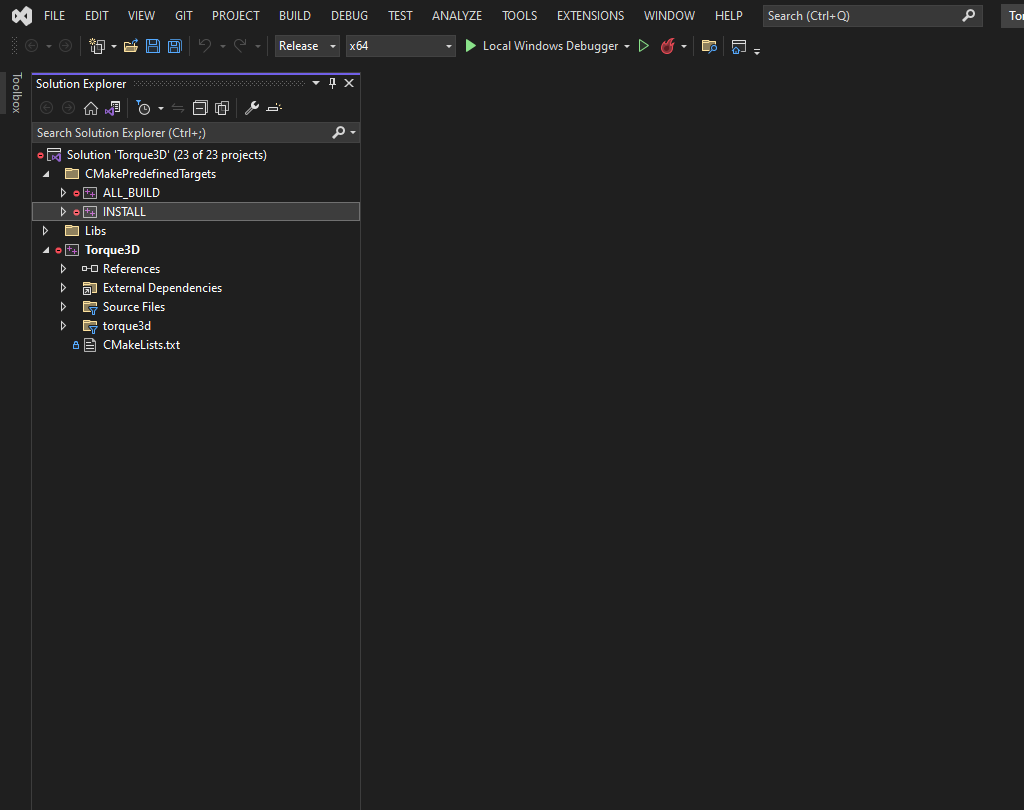
To compile your project, open up the solution, right-click the INSTALL project, and click 'build'. You only need to do this the first time.
The INSTALL project not only compiles the engine, but also installs the BaseGame template files in your project.
Info
Note, post 4.0.3 the CMake generation stepp will automatically install the template files for you, so you don't need to run the INSTALL project first. You can instead just compile the application project itself.
The engine executable will be generated in the project's game folder (i.e. My Projects/\
Using the command-line
cd "C:\Torque3D\My Projects\Game\buildFiles\CMake"

cmake ^
  -G "Visual Studio 17" ^
  -T "v143" ^
  -DTORQUE_APP_NAME="MyGame" ^
  -DTORQUE_SFX_VORBIS=On ^
  -DTORQUE_THEORA=On ^
  -DCMAKE_BUILD_TYPE=Release ^
  C:\Torque3D

msbuild "MyGame.sln" /p:PlatformToolset=v143 /p:Configuration=Release
Change "Visual Studio 17" to the appropriate generator for your system and "MyGame" to your projectName